
SEO for Beginners: A Complete Guide to Basic SEO Techniques
SEO for Beginners: A Complete Guide to Basic SEO Techniques
Want your website to appear on Google without paying for every click? Start with SEO.
If you’re new to digital marketing, terms like keywords, backlinks, crawling, indexing, SERP, technical SEO, and search intent can feel confusing.
The good news is that you don’t need to learn everything at once.
This SEO for beginners guide explains the fundamentals of Search Engine Optimization in simple language, from how Google discovers websites to the basic techniques you can use to improve your website’s visibility.
What Is SEO?
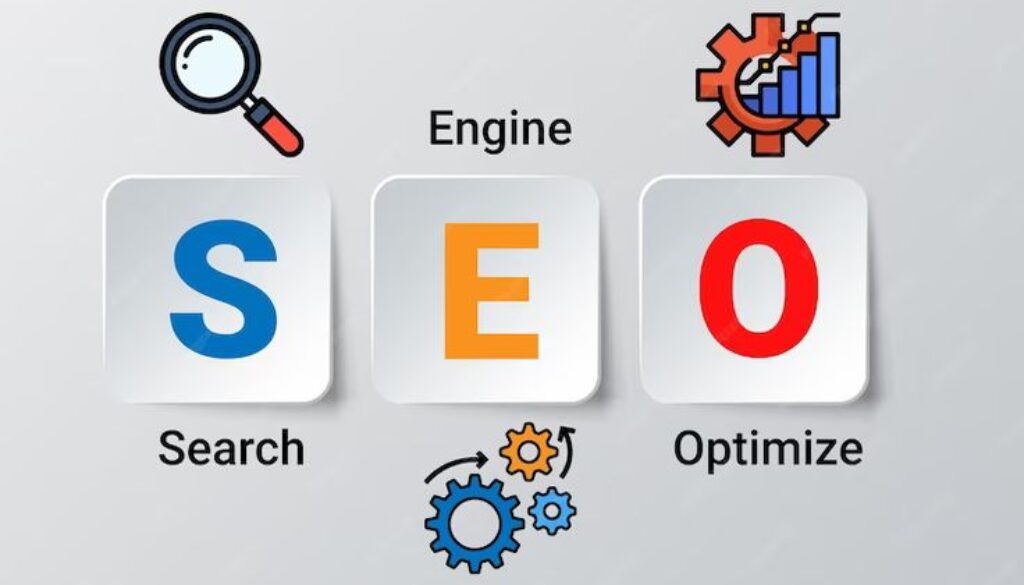
Search Engine Optimization (SEO) is the process of improving a website and its content so that search engines can understand it better and users can discover it through relevant search queries.
SEO can help your website attract organic traffic, improve visibility, and reach people who are actively searching for information, products, or services related to your business.
Think of SEO as making your website easier to:
Understand → Discover → Trust → Find
What Are the 3 Types of SEO?
SEO is commonly divided into three major areas:
- On-Page SEO
- Off-Page SEO
- Technical SEO
These areas work together. Good content alone is not enough if search engines cannot properly crawl your website, and a technically perfect website will struggle if it provides poor content.
1. What Is On-Page SEO?
On-page SEO refers to optimization performed on your website’s pages and content.
It includes improving elements such as:
- Content
- Keywords
- Headings
- Meta titles
- Meta descriptions
- URLs
- Images
- Internal links
- User experience
Important On-Page SEO Techniques
1. Keyword Optimization
Keywords are the terms people use when searching online.
Instead of forcing the same keyword repeatedly into an article, use it naturally along with related terms and phrases.
For example:
Primary keyword: SEO for Beginners
Related keywords: SEO basics, beginner SEO guide, SEO techniques, Search Engine Optimization.
The goal is to satisfy the searcher’s intent, not simply increase keyword frequency.
2. Create Helpful Content
Your content should answer the user’s actual question.
Ask yourself:
“If someone searches this topic, does my article give them a useful answer?”
Avoid writing content only to increase word count.
3. Optimize Title Tags and Meta Descriptions
Your title should clearly describe the page.
Your meta description should give users a reason to click while accurately representing the content.
4. Use Proper Headings
Use headings to organize your content:
H1: Main topic
H2: Major sections
H3: Subtopics
For example:
H1: SEO for Beginners
H2: What Is SEO?
H2: Types of SEO
H3: On-Page SEO
This makes your content easier to scan and understand.
5. Optimize Images
Images should be properly sized and compressed.
Use descriptive file names and meaningful alt text where appropriate.
Example:
seo-for-beginners-guide.jpg
is more descriptive than:
IMG1234.jpg
6. Internal Linking
Internal links connect one page of your website to another.
For example, if you have an article about SEO and another article about Technical SEO, you can naturally link between them.
Internal links help users discover related content and help search engines understand relationships between pages.
7. Mobile-Friendly Design
Your website should work properly across smartphones, tablets, and desktops.
Since many searches happen on mobile devices, a poor mobile experience can hurt both usability and search performance.
8. Improve Page Experience
Large images, unnecessary scripts, and poorly optimized websites can make pages slow.
Use tools such as PageSpeed Insights to identify performance problems and improve loading experience.
What Are Keywords?
Keywords are words or phrases people enter into search engines to find information.
For example:
“digital marketing strategist in Kannur”
is a keyword phrase.
Understanding what your audience searches for is an important part of SEO.
Types of Keywords Based on Length
Short-Tail Keywords
Usually broad and short.
Example:
SEO
Mid-Tail Keywords
More specific than short-tail keywords.
Example:
SEO techniques
Long-Tail Keywords
Usually more specific search phrases.
Example:
SEO techniques for beginners
For a new website, targeting relevant long-tail keywords can often be more realistic than immediately competing for extremely broad keywords.
What Is SERP?
SERP stands for Search Engine Results Page.
It is the page displayed after someone performs a search.
A SERP can contain different elements, including:
- Organic results
- Advertisements
- Featured snippets
- Local results
- Images
- Videos
- Other search features
What Is an Organic Result?
An organic result is a non-paid search result that appears because a search engine considers it relevant to the user’s query.
SEO primarily focuses on improving your visibility in these organic results.
What Is CTR?
CTR means Click-Through Rate.
It represents the percentage of impressions that result in clicks.
For example, if your page appears 1,000 times and receives 50 clicks:
CTR = 5%
CTR can help you understand how effectively your search result attracts clicks.
How Do Search Engines Work?
One of the most important SEO basics for beginners is understanding how search engines discover and rank content.
The process can be simplified into three stages:
1. Crawling
Search engine crawlers discover and access web pages.
Google’s crawler is known as Googlebot.
2. Indexing
Search engines analyze and store information about pages that they are able to index.
Being indexed does not guarantee that a page will rank highly.
3. Ranking
When someone performs a search, search engines attempt to show the most useful and relevant results for that query.
So the simplified process is:
Crawling → Indexing → Ranking
What Is a Search Snippet?
A search snippet is the information shown for a webpage in search results.
It commonly includes elements such as:
- Page title
- URL or breadcrumb
- Description
The appearance can vary depending on the search query and Google’s search features.
What Is a Permalink?
A permalink is the permanent URL used to access a particular webpage or post.
A good URL should be:
- Simple
- Descriptive
- Readable
- Relevant to the page
- Easy for users to understand
Example:
example.com/seo-for-beginners/
is preferable to a complicated URL containing unnecessary parameters.
What Is the Alt Attribute?
The alt attribute provides alternative text for an image.
It can help communicate the purpose or content of an image when the image cannot be viewed, and it also improves accessibility for users using screen readers.
Write alt text for users first, not as a place to stuff keywords.
What Is Internal and External Linking?
Internal Linking
A link from one page of your website to another page on the same website.
External Linking
A link from your website to a page on another website.
Both can be useful when links genuinely help users understand a topic.
2. What Is Off-Page SEO?
Off-page SEO refers to activities outside your website that can contribute to your site’s authority, reputation, and visibility.
One of the most important areas is link building.
Other activities can include:
- Earning backlinks
- Digital PR
- Brand mentions
- Local SEO
- Reputation building
The objective should be to build genuine authority rather than manipulate search rankings.
What Are Backlinks?
A backlink is a link from another website to your website.
For example:
Website A → Website B
If Website A links to your website, you have received a backlink.
Quality matters more than simply collecting a large number of links.
What Is Link Building?
Link building is the process of earning relevant backlinks from other websites.
Good approaches can include:
- Creating useful original content
- Digital PR
- Publishing research or useful resources
- Building genuine industry relationships
- Earning links naturally through valuable content
Avoid spammy link schemes.
What Is DA?
Domain Authority (DA) is a website authority metric developed by Moz.
It is a third-party SEO metric, not a Google ranking factor.
A higher DA score does not automatically mean Google will rank a website higher.
Use DA mainly as a comparative SEO metric rather than treating it as Google’s score for your website.
What Is Local SEO?
Local SEO focuses on improving visibility for searches connected to a specific location.
For example:
digital marketing strategist in Kannur
is a location-focused search.
Important local SEO activities include:
- Google Business Profile optimization
- Consistent business information
- Local content
- Relevant citations
- Customer reviews
- Local backlinks
What Are Citations?
In local SEO, citations are online mentions of a business’s information, commonly including:
Name + Address + Phone number
These mentions can appear on business directories, local websites, and other platforms.
3. What Is Technical SEO?
Technical SEO focuses on improving the technical foundation of your website so that search engines can efficiently crawl, understand, and index your pages.
Important Technical SEO Activities
- Website speed optimization
- Mobile usability
- XML sitemap
- Robots.txt
- Canonical tags
- HTTPS
- Structured data
- URL structure
- Redirects
- Broken link management
- 404 error handling
What Is an XML Sitemap?
An XML sitemap is a file that helps search engines discover important URLs on your website.
Common sitemap locations include:
/sitemap.xml
Depending on the platform and SEO setup, WordPress websites may also generate sitemap index files.
You can submit your sitemap through Google Search Console.
What Is Robots.txt?
A robots.txt file provides instructions to crawlers about which URLs they may or may not access.
Example:
User-agent: *
Disallow: /private/
Be careful with robots.txt. Blocking crawling does not work as a general method for removing already indexed URLs from Google.
What Is a Canonical Tag?
A canonical tag tells search engines which URL should be treated as the preferred version when multiple URLs have similar or duplicate content.
Example:
<link rel="canonical" href="https://example.com/seo-guide/">Canonicalization helps search engines understand your preferred URL.
What Are Broken Links?
A broken link leads to a page that cannot be properly accessed, often resulting in a 404 Not Found response.
Regularly checking important links can improve website usability.
What Is Schema Markup?
Schema markup, also known as structured data, is code that helps search engines understand certain information on a webpage.
Depending on the content, structured data can make a page eligible for certain enhanced search appearances.
However, adding schema does not guarantee a rich result.
What Is a 301 Redirect?
A 301 redirect indicates that a URL has been permanently moved to another URL.
For example:
old-page → new-page
Redirects are useful when URLs change and you want users and search engines to reach the new destination.
Common SEO Terms Beginners Should Know
What Is Keyword Density?
Keyword density describes how frequently a keyword appears relative to the total amount of text.
However, there is no ideal keyword-density percentage that guarantees rankings.
Do not write unnatural sentences just to increase keyword density.
Write for users first.
What Is Keyword Difficulty?
Keyword difficulty is a third-party SEO metric used to estimate how competitive a keyword may be.
Different SEO tools calculate it differently.
It should be treated as an estimate, not a Google ranking score.
What Is Keyword Cannibalization?
Keyword cannibalization can occur when multiple pages on the same website target very similar search intent and compete with each other.
The solution is not simply to avoid using the same word on multiple pages. Instead, evaluate whether the pages serve distinct search intents.
What Is Cloaking?
Cloaking is showing different content to search engines and users.
It is considered a search spam practice when used to manipulate search rankings.
White Hat SEO vs Black Hat SEO
White Hat SEO
Focuses on sustainable optimization and creating value for users.
Examples:
- Helpful content
- Natural internal linking
- Good website structure
- Relevant backlinks
- Good user experience
Black Hat SEO
Uses manipulative techniques designed to influence search rankings.
Examples can include:
- Keyword stuffing
- Cloaking
- Link schemes
- Automatically generated spam content
- Other deceptive practices
The short-term temptation is obvious.
The long-term risk is also obvious.
Build a website that deserves to rank instead of trying to trick the algorithm.
How to Optimize URLs for SEO
Follow these basic practices:
- Keep URLs short and descriptive
- Use lowercase letters
- Use hyphens between words
- Include the main topic when appropriate
- Avoid unnecessary parameters
- Avoid confusing URL structures
- Use canonical URLs where necessary
Example:
❌ example.com/page?id=92837
✅ example.com/seo-for-beginners/
How to Optimize Images for SEO
Use these basic image optimization practices:
1. Resize Images
Don’t upload a huge image when a smaller dimension is sufficient.
2. Compress Images
Reduce unnecessary file size while maintaining acceptable quality.
3. Use Descriptive File Names
Example:
seo-for-beginners.jpg
4. Write Useful Alt Text
Describe the image when alt text is appropriate.
5. Use Appropriate Formats
Choose modern and efficient image formats where suitable.
6. Make Images Responsive
Images should display properly across different screen sizes.
What Is Google Search Console?
Google Search Console is a free Google service that helps website owners monitor and troubleshoot their site’s presence in Google Search.
You can use it to understand things such as:
- Search performance
- Search queries
- Clicks
- Impressions
- Indexing issues
- Sitemap submissions
- Page experience signals
- Search visibility
For anyone serious about SEO, Search Console should be one of the first tools to learn.
Google Analytics vs Google Tag Manager
These tools have different purposes.
Google Analytics
Used to collect and analyze website and user behavior data.
Google Tag Manager
Used to manage and deploy tracking tags and related code without manually editing website code every time.
They can work together, but they are not the same tool.
What Are SEO Ranking Factors?
Google uses many systems and signals to determine which results are useful for a search query.
Rather than focusing on a simple checklist of “ranking factors,” beginners should focus on fundamentals such as:
- Helpful, relevant content
- Search intent
- Page experience
- Mobile usability
- Website accessibility to search engines
- Relevant links and authority
- Clear site structure
- Good technical implementation
There is no single formula such as:
“Add these 10 things = guaranteed #1 ranking.”
SEO doesn’t work that way.
SEO for Beginners: A Simple Checklist
If you’re starting SEO today, don’t try to optimize 100 things simultaneously.
Start here:
Step 1
Research relevant keywords and search intent.
Step 2
Create genuinely useful content.
Step 3
Optimize titles, headings, URLs, and images.
Step 4
Build a logical internal linking structure.
Step 5
Make sure Google can crawl and index important pages.
Step 6
Improve mobile usability and page performance.
Step 7
Earn relevant backlinks and mentions.
Step 8
Monitor performance through Google Search Console and analytics.
Step 9
Update and improve content based on performance and user needs.
Frequently Asked Questions About SEO for Beginners
Is SEO difficult for beginners?
SEO has a learning curve, but the fundamentals are straightforward. Start with search intent, useful content, on-page optimization, technical basics, and link building.
How long does SEO take to work?
SEO usually takes time. There is no guaranteed timeframe because results depend on competition, website quality, content, authority, technical health, and many other factors.
Can I learn SEO without coding?
Yes. You can learn most SEO fundamentals without being a developer. However, basic HTML and technical knowledge become useful as you progress.
Is SEO free?
You can learn and implement many SEO techniques without paying for advertising. However, SEO may still involve costs for tools, content creation, technical work, or professional services.
What should I learn first in SEO?
Start with:
Search intent → Keywords → On-page SEO → Technical SEO → Internal linking → Off-page SEO → Measurement
Don’t start by obsessing over backlinks or complicated technical tricks.
Conclusion: Start With the SEO Basics
SEO for beginners is not about finding one secret technique that suddenly puts your website at the top of Google.
It’s about building a website that is:
Useful + Relevant + Accessible + Fast + Easy to Understand
Start with the fundamentals. Create content that genuinely answers people’s questions. Make your website technically accessible to search engines. Build relevant authority over time, and use data to improve what you publish.
SEO is a long-term process, not a one-day task.
Learn the basics. Apply them consistently. Measure the results. Improve. Repeat.
If you’re building your digital marketing career, understanding these SEO fundamentals gives you a strong foundation for moving into advanced areas such as Technical SEO, Local SEO, Content SEO, Keyword Research, and Google Search Console
SEO is not about finding a shortcut to reach the first position on Google. It is about creating helpful content, understanding what people are searching for, improving your website, and making it easy for search engines to crawl and understand your content.
For beginners, the best approach is to start with the basics: keyword research, on-page SEO, technical SEO, internal linking, content optimization, and off-page SEO. With consistent learning and practical implementation, you can gradually improve your website’s search visibility.
As a Digital Marketing Strategist in Kannur, I’m continuously learning and applying SEO strategies to build my digital marketing skills and create a stronger online presence.
Start with the basics, keep learning, and optimize consistently. SEO is a long-term process, not a one-time task.