SEO Analytics for Beginners: How to Measure Your SEO Performance
Publishing a blog and getting a few backlinks feels good, but there is one important question you eventually need to ask:
Is your SEO actually working?
SEO is not something you should do once and forget about. After publishing content, you need to understand how people are finding your website, which pages are getting attention, and where there is room for improvement.
This is where SEO analytics becomes useful.
You don’t need to be an expert in data analysis to get started. A few basic metrics can already tell you a lot about how your website is performing.
What Is SEO Analytics?
SEO analytics is the process of collecting and analyzing website and search performance data to understand how your SEO efforts are performing.
It can help you answer questions such as:
- How many people are finding my website through search?
- Which pages are getting organic traffic?
- What keywords are bringing visitors?
- How many people are clicking my search results?
- Which pages need improvement?
- Are visitors taking useful actions after arriving on my website?
Instead of guessing what is working, you can use actual data to make better decisions.
Why Is SEO Analytics Important?
Imagine you publish ten blog posts.
After a few months, one article gets consistent visitors, another gets impressions but very few clicks, and a third barely appears in search results.
Without analytics, these three pages may look the same from your perspective.
With data, you can see the difference.
SEO analytics helps you identify:
- What is working
- What needs improvement
- Which content attracts visitors
- Which keywords have potential
- Where users are dropping off
- Which pages deserve more attention
This makes your SEO strategy more practical.
Important SEO Metrics to Understand
You don’t need to track dozens of numbers when you’re starting.
Begin with a few important metrics.
1. Organic Traffic
Organic traffic refers to visitors who reach your website through unpaid search results.
For example, someone searches for:
“SEO for small businesses”
They find your article in the search results and visit your website.
That visit is organic traffic.
Tracking organic traffic over time can help you understand whether your search visibility is growing.
However, don’t look only at the total number.
Try to understand which pages are bringing that traffic.
2. Impressions
An impression happens when your webpage appears in search results and is shown to a user.
For example, your article may appear 1,000 times in search results but receive only 30 clicks.
That means your page received many impressions but relatively few clicks.
This information can help you identify pages that may need better titles or search-result presentation.
3. Clicks
Clicks tell you how many times people clicked your webpage from search results.
If impressions are increasing but clicks are not, it may be worth looking at your:
- Page title
- Meta description
- Search intent
- Position in search results
- Relevance to the query
The goal is not simply to get more impressions.
You want the right people to click.
4. Click-Through Rate
Click-through rate, commonly called CTR, shows the percentage of impressions that resulted in clicks.
For example, if your page appeared 1,000 times and received 50 clicks, the CTR would be:
5%
CTR can give you an idea of how effectively your search result attracts clicks.
But don’t judge CTR without considering the keyword, search position, and type of search.
Different queries naturally produce different click patterns.
5. Search Position
Search position refers to where your webpage appears for a search query.
For example, your page might appear around position 5 for one keyword and position 25 for another.
Tracking changes over time can help you understand whether your content is gaining or losing visibility.
Don’t become obsessed with checking your position every day.
SEO performance can change over time, and rankings can vary depending on the search.
Look for broader patterns instead.
Understanding Google Search Console
One of the most useful tools for beginners is Google Search Console.
It provides information about how your website performs in Google Search.
You can use it to understand things such as:
- Search queries
- Clicks
- Impressions
- CTR
- Average position
- Indexed pages
- Search-related website issues
For a website that is actively working on SEO, Search Console can become a regular part of the workflow.
What Can You Learn From Search Queries?
Search queries can sometimes reveal something you didn’t expect.
Imagine you published an article targeting:
“Keyword Research for Beginners”
But Search Console shows that people are also finding the page for searches related to:
- Long-tail keywords
- Keyword research tools
- Search intent
- SEO keywords
- Keyword planning
This gives you useful information.
You may discover opportunities to improve the existing article or create another article around a closely related topic.
This is one reason SEO analytics is more useful than simply checking your ranking position.
Understanding Google Analytics
While Search Console focuses heavily on search performance, Google Analytics can help you understand what happens after visitors reach your website.
You can use analytics data to understand:
- Where visitors come from
- Which pages they visit
- How they interact with your website
- What actions they take
- Which pages contribute to conversions
This helps connect SEO traffic with what actually happens on your website.
Getting visitors is useful.
Getting the right visitors who take meaningful actions is even more useful.
SEO Traffic vs Useful Traffic
A common mistake is focusing only on traffic numbers.
Suppose one blog receives 1,000 visitors but almost nobody takes the next step.
Another page receives 200 visitors, but several people contact you, explore your services, or visit your portfolio.
Which page is more useful for your business?
The answer depends on your goals.
This is why SEO should not be measured only by traffic.
Think about:
Traffic → Engagement → Action → Business Result
The exact goal can be different for every website.
Measuring SEO for a Personal Brand
If you’re building a professional website as a Digital marketing strategist in Kannur, your SEO goals may be different from those of an e-commerce website.
You may want people to:
- Discover your portfolio
- Read your blogs
- Explore your services
- View your projects
- Contact you
- Connect with you professionally
In that case, you should track whether your organic visitors are actually reaching these important pages.
For example, if your blog traffic is increasing but nobody is visiting your portfolio or services page, you may need stronger internal links and clearer calls to action.
How to Use SEO Data to Improve Your Content
Analytics becomes valuable when you actually do something with the information.
Here are some simple examples.
High Impressions + Low Clicks
Your page is appearing in search results, but people aren’t clicking enough.
Consider reviewing:
- Title
- Meta description
- Search intent
- Page relevance
Low Impressions + Good Content
Your content may need more visibility.
Check:
- Keyword targeting
- Search intent
- Internal links
- Content depth
- Technical issues
Good Traffic + Low Engagement
People are arriving, but the page may not be giving them a clear next step.
Review:
- Content structure
- Readability
- Internal links
- Calls to action
- Page experience
One Page Performing Very Well
Don’t ignore it.
Study why it works.
Look at:
- Topic
- Search intent
- Keywords
- Content structure
- Internal links
- External links
- Search queries
Then use those insights when planning future content.
Don’t Change Your Content Too Quickly
SEO can take time.
One of the easiest mistakes is publishing an article today and checking it tomorrow.
If it doesn’t rank immediately, you completely rewrite it.
That’s usually not a good approach.
Give your content enough time to collect meaningful data.
Then make changes based on what the data is actually showing.
SEO works better as a process of:
Publish → Observe → Learn → Improve
rather than:
Publish → Panic → Change everything
Create an SEO Tracking Routine
You don’t need to spend hours looking at analytics every day.
A simple routine can be enough.
Weekly
Check:
- Search performance
- Important queries
- Clicks and impressions
- Technical issues
Monthly
Review:
- Organic traffic
- Top-performing pages
- Pages losing traffic
- New keyword opportunities
- Content that needs updating
Every Few Months
Take a bigger look at:
- Overall SEO growth
- Content performance
- Backlink growth
- Technical health
- Important business goals
The exact schedule can depend on how frequently your website changes.
SEO Analytics Mistakes to Avoid
Checking Rankings Every Day
Rankings naturally fluctuate.
Checking them constantly can make you react to small changes that don’t really matter.
Focusing Only on Traffic
More visitors do not automatically mean better results.
Look at what those visitors actually do.
Ignoring Conversions
If your website has a business goal, connect SEO with that goal.
Changing Everything at Once
If you change your title, content, links, keywords, and page structure at the same time, it becomes difficult to understand what actually helped.
Comparing Completely Different Websites
Your website may have a different audience, niche, age, and content strategy.
Focus primarily on your own progress.
A Simple SEO Analytics Checklist
Before finishing your monthly SEO review, ask:
☐ How much organic traffic did the website receive?
☐ Which pages received the most organic visitors?
☐ Which search queries generated clicks?
☐ Which pages received many impressions?
☐ Which pages have low CTR?
☐ Are important pages being indexed?
☐ Are there technical issues that need attention?
☐ Which content is performing well?
☐ Which pages need improvement?
☐ Are visitors reaching important service or portfolio pages?
☐ Are your SEO efforts contributing to your actual goals?
These questions are enough to give you a useful starting point.
How SEO Analytics Fits Into Your SEO Journey
Your previous blogs have covered the main building blocks of SEO.
Keyword Research helps you identify what people search for.
Search Intent helps you understand what they want.
On-Page SEO helps you optimize your pages.
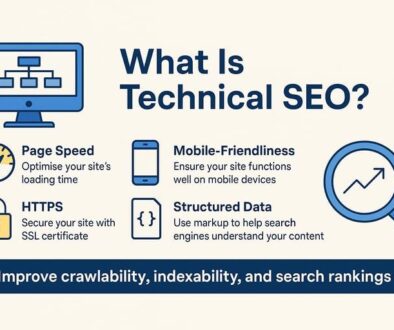
Technical SEO helps keep your website technically healthy.
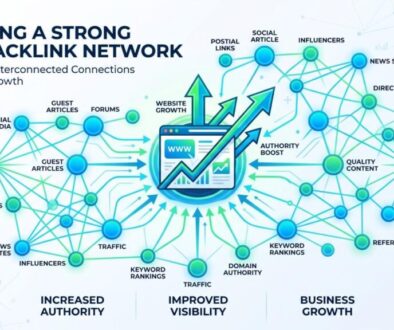
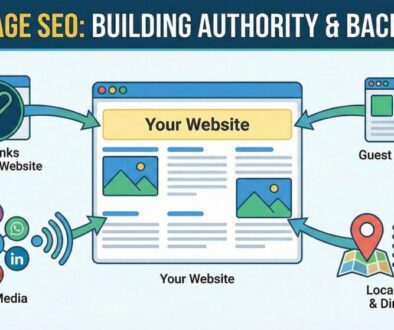
Off-Page SEO helps build external visibility.
Backlinks are one important part of that external strategy.
Now SEO Analytics helps you understand what happened after you put all these pieces into action.
Your process becomes:
Research → Create → Optimize → Publish → Promote → Measure → Improve
And that last step is important.
SEO isn’t finished when you publish the article.
You learn from what happens next.
Final Thoughts
SEO analytics is not about staring at numbers all day.
It is about using data to understand your audience and make smarter improvements to your website.
You don’t need to track everything.
Start with a few useful metrics such as organic traffic, impressions, clicks, CTR, search queries, rankings, and conversions.
Then ask a simple question:
“What is this data telling me, and what should I do next?”
That mindset can make SEO much more practical.
For a Digital marketing strategist in Kannur, understanding SEO analytics is also an important part of moving from simply creating content to making decisions based on real website performance.
Your SEO journey doesn’t end when a page gets published.
Publish. Measure. Learn. Improve. Repeat.