Technical SEO: A Beginner’s Guide to a Better Website
Creating useful content and choosing the right keywords are important parts of SEO. But there is another side of SEO that happens behind the content: Technical SEO.
You can have a well-written article with good keywords, but if your website is slow, difficult to crawl, or not properly indexed, your content may struggle to perform in search results.
Technical SEO focuses on improving the technical foundation of a website so that search engines can crawl, understand, and index its pages more effectively.
The good news is that you don’t need to be a developer to understand the basics.
What Is Technical SEO?
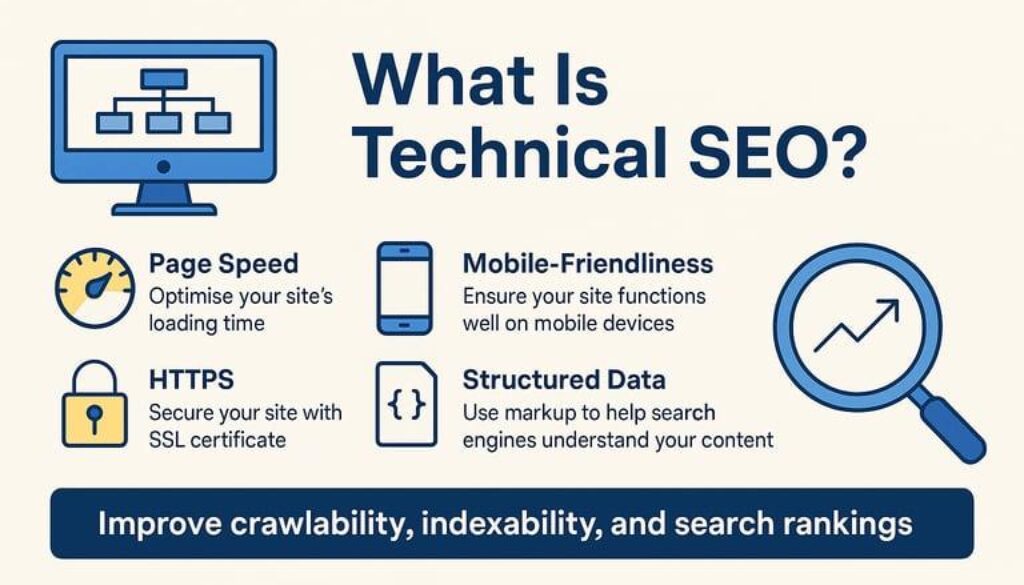
Technical SEO is the process of improving the technical aspects of a website to help search engines crawl, understand, and index the site, while also providing a better experience for visitors.
It can include areas such as:
- Website speed
- Mobile-friendliness
- Crawling
- Indexing
- Site structure
- XML sitemap
- Robots.txt
- HTTPS security
- Broken links
- URL structure
- Core Web Vitals
Technical SEO is different from content optimization.
On-page SEO focuses mainly on the content and elements users can see on a page.
Technical SEO focuses more on how the website works behind the scenes.
Both are important for a healthy SEO strategy.
Why Is Technical SEO Important?
Think about visiting a website that takes several seconds to load.
You may leave before even reading the content.
Now imagine that search engines also have difficulty accessing some of the pages on that website.
This is why technical website health matters.
A technically sound website can make it easier for:
- Search engines to crawl your pages
- Search engines to understand your website
- Important pages to get indexed
- Visitors to navigate the website
- Users to access pages on mobile devices
- Content to load efficiently
Technical SEO doesn’t mean making a website complicated. In many cases, it is about fixing simple problems that affect the overall experience.
Website Speed and Technical SEO
Website speed is one of the first things worth checking.
A slow website can create a frustrating experience, especially for people browsing from mobile devices.
Some common reasons for slow websites include:
- Large image files
- Too many unnecessary plugins
- Poor hosting performance
- Unoptimized code
- Too many scripts
- Heavy website elements
You don’t need to remove everything from your website just to make it fast.
Instead, identify what is slowing the website down and improve it step by step.
Compressing images, reducing unnecessary elements, and using reliable hosting can make a noticeable difference.
Mobile-Friendly Websites
A large number of people access websites through smartphones.
That means your website should work properly on smaller screens.
Check whether:
- Text is easy to read
- Buttons are easy to tap
- Images fit the screen
- Navigation works properly
- Content doesn’t require unnecessary horizontal scrolling
A website that looks good on a desktop but feels difficult to use on a phone is not providing a good overall experience.
Before publishing a page, always check how it looks on mobile.
Crawling and Indexing
Two important concepts in Technical SEO are crawling and indexing.
What Is Crawling?
Search engines use automated systems to discover and access webpages.
This process is called crawling.
What Is Indexing?
After discovering a page, a search engine can analyze and store information about that page in its index.
This is called indexing.
If an important page cannot be crawled or indexed properly, it may not appear in search results.
This is why technical SEO is connected directly to your website’s visibility.
Create and Submit an XML Sitemap
An XML sitemap provides search engines with information about the important URLs on your website.
For a website with multiple pages and blog posts, having a properly configured sitemap can help search engines discover your content.
After creating your website, check whether your sitemap is available and whether it is correctly configured.
You can also submit the sitemap through Google Search Console.
What Is Robots.txt?
The robots.txt file gives search engine crawlers instructions about which areas of a website they can or cannot access.
It is useful when managing how crawlers interact with your website.
However, it should be configured carefully.
Blocking the wrong pages can create SEO problems, especially if you accidentally prevent search engines from accessing important content.
If you are not sure about a robots.txt setting, check it before making changes.
HTTPS and Website Security
Website security is another basic part of technical website health.
HTTPS encrypts the connection between a user’s browser and the website.
You can usually recognize an HTTPS website by the padlock/security indicator in the browser.
For a professional website, HTTPS should be standard.
It also helps create trust when visitors are sharing information or interacting with your website.
Clean Website Structure
Your website structure should make sense to both users and search engines.
For example:
Home → Services → SEO Services
and
Home → Blog → SEO → On-Page SEO
A logical structure makes it easier for visitors to move between related pages.
It also gives search engines a clearer understanding of how different pages are connected.
This is where the internal linking work from your previous On-Page SEO blog becomes useful.
Fix Broken Links
A broken link leads visitors to a page that no longer works or cannot be found.
Too many broken links can make a website feel poorly maintained.
Regularly check your important pages and links.
If a page has been permanently removed, consider whether it should be redirected to a relevant alternative.
Don’t redirect every old URL to the homepage. The replacement should make sense for the original page.
Technical SEO and Core Web Vitals
Core Web Vitals are a set of metrics used to assess aspects of page experience, particularly loading performance, responsiveness, and visual stability.
Some of the key measurements include:
- Largest Contentful Paint (LCP): How quickly the main content loads
- Interaction to Next Paint (INP): How responsive the page is to user interactions
- Cumulative Layout Shift (CLS): How much the page layout unexpectedly moves
These metrics can help you understand where your website experience needs improvement.
The goal should not simply be to chase a perfect score.
The bigger goal is to create a website that loads efficiently and feels stable and responsive to real visitors.
Technical SEO for Small Businesses
Technical SEO is not only for large companies.
Small businesses also need a strong website foundation.
For example, a local business website should make sure that its:
- Important service pages are accessible
- Website works properly on mobile
- Pages load efficiently
- URLs are understandable
- Internal links work
- Website uses HTTPS
- Important pages can be crawled and indexed
If you are building an online presence as a Digital Marketing Strategist in Kannur, technical SEO is equally important for your personal website.
A professional-looking website should not only look good. It should also work properly behind the scenes.
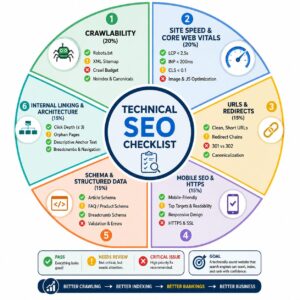
A Simple Technical SEO Checklist
Before considering your website technically healthy, check these basics:
☐ Website uses HTTPS
☐ Website works properly on mobile
☐ Important pages can be crawled
☐ Important pages can be indexed
☐ XML sitemap is available
☐ Robots.txt is correctly configured
☐ Website loads efficiently
☐ Internal links work properly
☐ Broken links are checked
☐ URLs are clean and understandable
☐ Website structure is logical
☐ Core Web Vitals are monitored
You don’t have to fix everything in one day.
Start with the issues that have the biggest impact on your visitors and important pages.
Common Technical SEO Mistakes
Ignoring Mobile Optimization
A website may look perfect on desktop but still provide a poor mobile experience.
Uploading Huge Images
High-quality images are useful, but unnecessarily large files can slow down your pages.
Blocking Important Pages
Incorrect robots.txt or other settings can prevent search engines from accessing pages that should be visible.
Forgetting About Indexing
Publishing a page doesn’t automatically mean that it will appear in search results.
Ignoring Broken Links
Broken links can create poor navigation and make your website harder to maintain.
Focusing Only on SEO Scores
Tools can help identify problems, but a score alone does not tell you whether visitors are actually having a good experience.
How Technical SEO Fits Into Your SEO Strategy
You have already looked at:
Keyword Research → Search Intent → On-Page SEO
Technical SEO adds another important layer:
Keyword Research → Search Intent → On-Page SEO → Technical SEO → Content Improvement → Performance Monitoring
This creates a much stronger SEO workflow.
You first understand what people are searching for.
Then you create content that matches their intent.
Next, you optimize the page and make sure the website itself is technically healthy.
Finally, you monitor performance and improve where needed.
How to Check Your Technical SEO
You don’t need expensive tools to start learning technical SEO.
Some useful tools include:
- Google Search Console
- Google PageSpeed Insights
- Google Analytics
- Screaming Frog SEO Spider
- Bing Webmaster Tools
For beginners, Google Search Console is particularly useful because it can help you understand indexing, search performance, and some website issues.
Instead of checking everything randomly, use these tools to identify actual problems and work through them one by one.
Final Thoughts
Technical SEO is the foundation that supports the rest of your SEO work.
Good keywords and useful content are important, but they need a technically healthy website to perform at their best.
Start with the basics: improve website speed, make the site mobile-friendly, check indexing, maintain a logical structure, fix broken links, use HTTPS, and monitor important technical issues.
You don’t need to become a developer to start understanding technical SEO.
Learn the fundamentals, check your website regularly, and improve it step by step.
That approach is far more useful than trying to fix every technical SEO issue at once.